Schedules
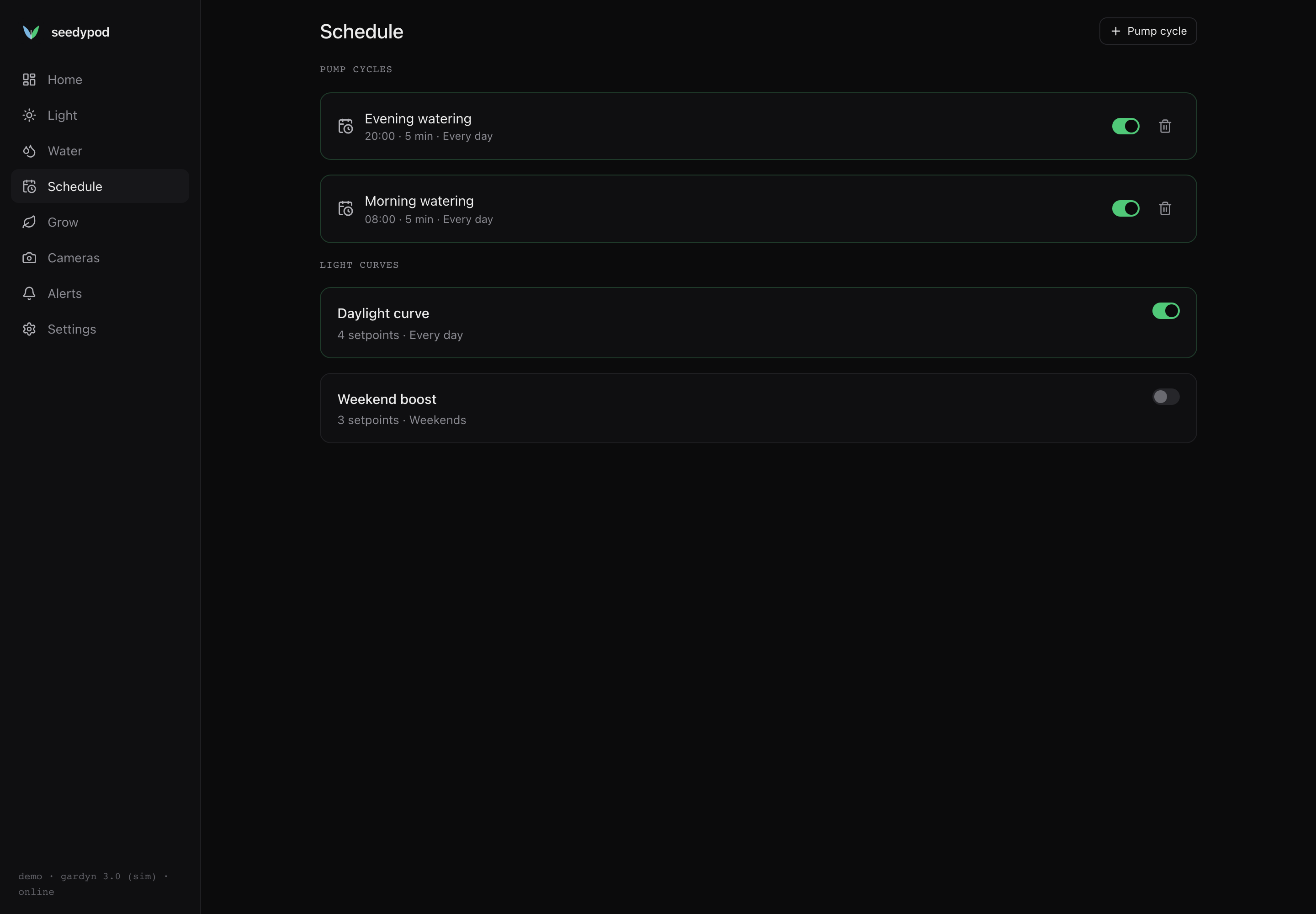
seedypod has two kinds of schedule: light curves, which set the grow light’s brightness through the day, and pump cycles, which water at a set time for a set duration. Both run in the timezone set in Settings, and both can be limited to certain days of the week.
Light curves
A curve is a list of up to 24 setpoints, each a time of day and a brightness from 0 to 100 %. Between setpoints the brightness ramps linearly, so a sunrise is just a 0 % point followed by an 85 % point an hour and a half later. After the last setpoint the curve ramps back to the first one, wrapping around midnight.
To add one, open Light and press Add curve. A new curve starts disabled with four setpoints (off at 07:00, 80 % from 08:00 to 20:00, off at 21:00). Edit the times and levels, choose the days, turn it on and press Save. The chart above the editor previews the whole day.
When more than one curve is active, the brightest one wins at each minute. That lets you overlay a “boost” curve on a base curve, for example a brighter weekend.
A brightness change you make by hand holds for 30 minutes, then the curve takes over again at its current point; an armed Autopilot rule that sets the light ranks above the curve too.
Pump cycles
A pump cycle runs the pump once at a given time for 1, 3, 5, 10 or 15 minutes. Open Schedule and press Pump cycle, then set the name, time, duration and days.
Every scheduled run goes through the same safety guard as a manual one:
- The run is clamped to the hardware’s maximum run time (900 seconds by default) and duty cap (30 %).
- If the tank is low, the water sensor is unavailable, the board is too hot, or a pump fault is latched,
haldrefuses to start. The run is still recorded, so the scheduler does not retry every minute, and the reason appears as an alert.
Each cycle fires at most once per day and minute, even if core restarts at that moment. Recent runs are listed at the bottom of the Water screen.
A Gardyn tank holds about 5 gallons (a Studio about 4). Two five-minute cycles a day is the demo’s default; adjust it to your plants and watch the tank level chart on the Water screen.
From other tools
Schedules are a regular part of the API, so you can manage them from anywhere:
- REST:
GET /api/schedules,PUT /api/schedules/{id},DELETE /api/schedules/{id}(reference). - MCP:
list_schedules,upsert_scheduleanddelete_schedule(MCP for agents).
Days are a bitmask: Monday is 1, Tuesday 2, Wednesday 4 and so on up to Sunday 64, so 127 means every day and 96 means weekends.